CreakBox V2.1 / 303 VST & acid bass synth JUST BASS.
The first 303
you’ll ever need.
CreakBox V2.1 is a 303 VST and acid bass synth for Windows, created by Frank Reitz. Inspired by the TB-303, it combines resonant filters, Slide, Accent and a 16-step sequencer with four sound models. If you are looking for a 303 emulator, start with the free FLT1 voice and explore the deeper sound-design options available with a Full license.
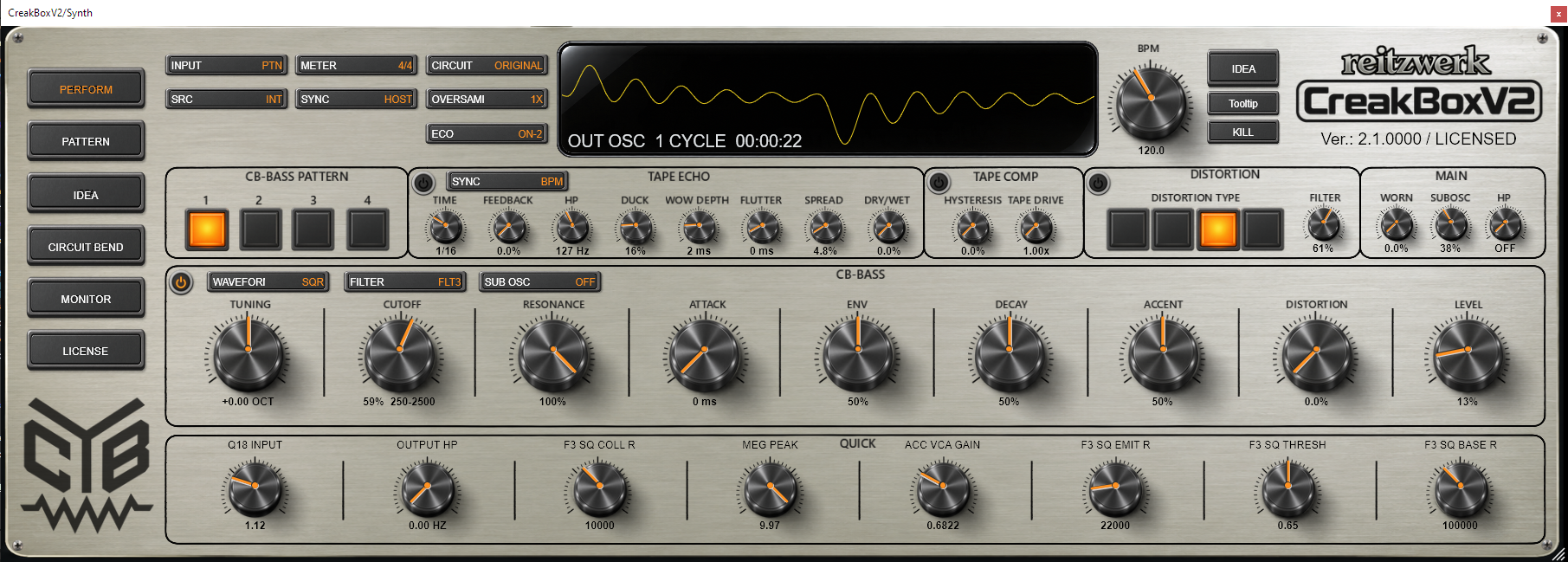
Four voices.
Your kind of acid.
Start with a groove. Change the voice. Take the same notes from a focused bassline to something restless, rough or beautifully unruly.
FLT1
Your starting point.
Responsive, resonant acid with the tools to build a track. Sequence it, automate it and export your bassline.
Free production voiceFLT2
A dirtier edge.
A two-pole filter with a different feel for saturation and resonance. Push the pattern into rougher territory.
Resonance / SaturationFLT3
Deep into the 303.
Explore the close interaction of oscillator, filter and Accent. The detailed, circuit-modelled heart of CreakBox.
Character in the interactionFLT4
Move the pulse.
Pulse width and PWM open another direction. Add movement and explore a different palette of bass textures.
Pulse width / ModulationAll four voices can be played and edited manually in FREE. Compare automation, export and quality
How CreakBox approaches TB-303 emulation
CreakBox is a TB-303-inspired instrument with a focus on expressive sequencing and circuit-modelled sound. FLT3 explores the close interaction of oscillator, filter and Accent. Slide connects notes, while per-step Gate, Accent and Attack controls shape the articulation of the bassline.
The other sound models extend that approach: FLT1 provides the free production voice, FLT2 explores two-pole saturation and resonance, and FLT4 adds pulse-width control and PWM. Together, the four voices offer different directions for acid bass and sound design.
See it.
Hear it.
Watch the official CreakBox V2.1 Just Bass promo on YouTube. Compare FLT1 (free) and FLT3 (paid) on the same track, then explore the sound and Accent demos.

New demos, feature walkthroughs and CreakBox V2.1 videos on the reitzwerk YouTube channel.
Visit @reitzwerk on YouTube , opens in a new tabFind a spark.
Make it yours.
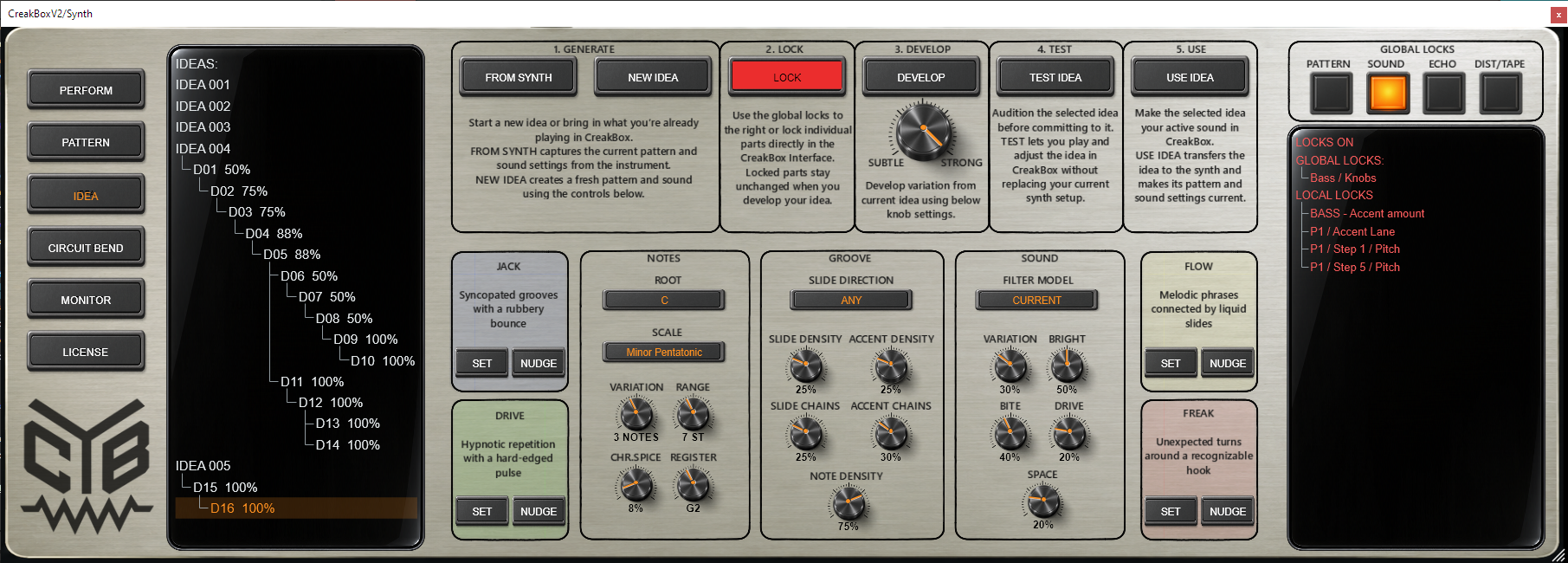
Get a phrase moving, keep what works and explore what happens next. IDEA gives your experiments a direction. You make the musical decisions.
Generate
Choose a musical direction. Create a starting phrase.
Lock
Protect the notes, groove or sound worth keeping.
Develop
Build a related four-pattern chain with shared sound.
Test
Audition the idea. Adjust it before committing.
Use
Bring the chosen bank and sound into your track.
Every step
has a say.
Let notes slide into each other. Put an accent where the phrase needs a push. Shape the articulation, follow your DAW’s transport or play the bass voice from MIDI.
- Note
- Gate
- Slide
- Accent
- Attack
Drive it.
Let it echo.
Four distortion models, tape-style compression, clipping and tape echo live inside the instrument. Give the bass more weight, add an edge or let the repeats become part of the groove.
- 4× distortion models
- Tape comp
- Clipping
- Tape echo
Go under
the panel.
Take your sound past the front-panel controls. Open Circuit Bend and explore the behaviour behind the voice, then bring your favourite parameters back to the surface.
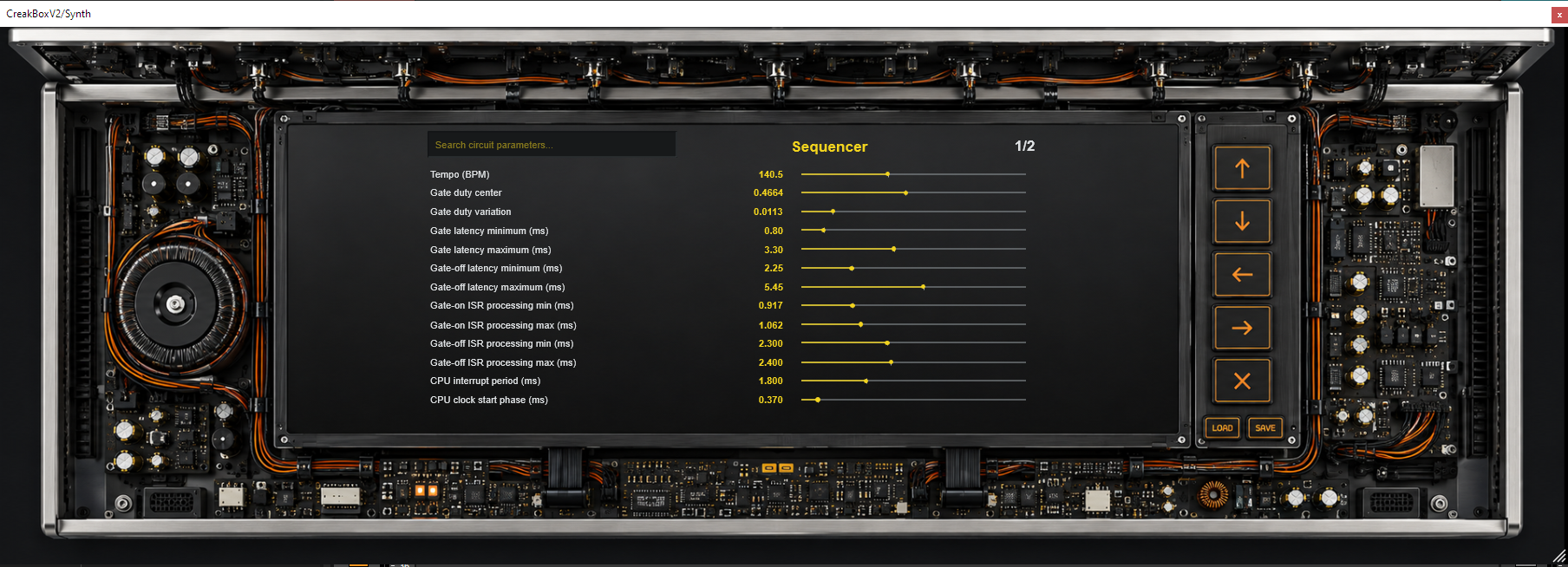
01Shape the behaviour
Explore oscillator, filter, envelope and processing parameters.
02Eight Quick controls
Choose your assignments, with a separate Quick bank for each filter.
03Keep your experiments
Load and save your own CBCB circuit configurations.
Free to start.
More to explore.
Make music with the free FLT1 voice. Register when you want the other voices in your automated projects and offline renders, higher quality settings and deeper editing.
Start FREE.
Build patterns, explore IDEA and use the effects. Automate FLT1 and export at 1×. Play and manually explore all four voices.
Download FREE Plugin download / Windows 10–11 / 64-bit VST3Go deeper.
Bring all four voices into your production workflow. Unlock Circuit Bend, Quick controls and live oversampling up to 16×.
Buy Personal License , opens Gumroad in a new tab License purchase on Gumroad. Download the plugin here.| Feature | FREE | Registered / Full |
|---|---|---|
| Live play & manual sound editing | FLT1–FLT4 | FLT1–FLT4 |
| Sequencer, IDEA & WAV pattern import | Included | Included |
| Distortion, tape & echo | Included at FREE quality | Included |
| DAW automation of supported controls | FLT1; Circuit Bend and Quick controls locked | All four models, including supported Circuit and Quick controls |
| Live oversampling | Strict internal 1× | Global 1×, 2×, 4×, 8× or 16× |
| Host-reported offline export | FLT1 at 1×. FLT2–FLT4 output muted. | All models. Full-chain 16× / Normal. |
| Circuit Bend, eight Quick controls & CBCB files | Locked | Unlocked |
Rendering: FREE FLT2–FLT4 mute when the host reports offline or prefetch processing; real-time recording can still capture audio. In Registered, prefetch alone keeps live quality. Read the full FAQ for rendering, project recall and activation details.
Will it run in my setup?
CreakBox is a 64-bit VST3 instrument for Windows 10 and 11. Try the free download in your own DAW. Detailed models and higher oversampling need more CPU; live ECO modes let you adjust the workload.
What am I buying?
Gumroad sells the Personal License. The plugin download is on this page. An active license unlocks Registered features in CreakBox. See the license terms
Your next bassline
starts here.
CreakBox V2.1 / Just Bass / Windows VST3